_93ba08.png)
_c4e298.png)
_b7e256.png)
_a7027e.png)

StainlessSteelRat
Members
-
Joined
-
Last visited
-
Yep! There is now a 2 meter exclusion zone around my car :-) I'll have a look for phantom grey, cheers. S.
-
Is that a thing??
-
I'll just try and stay away from curbs then :-) :-)
-
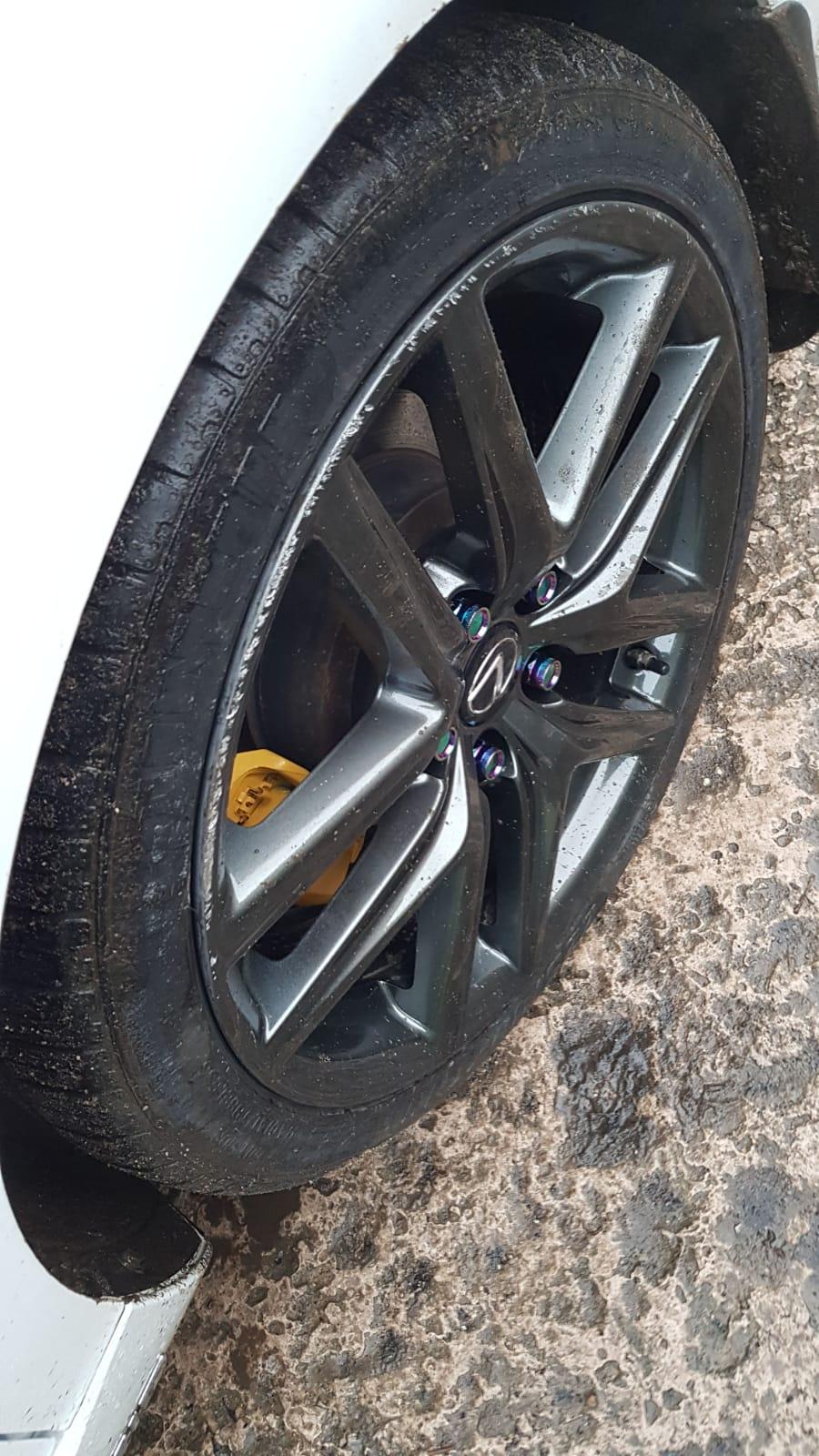
Has anybody tried these... https://www.amazon.co.uk/RimPro-Tec-Pinstripes-all-weather-protectors-Complete/dp/B07CX5R6VL/ref=sr_1_9?crid=3TCELGPCN125&keywords=alloy+repair+black+chrome&qid=1576591905&sprefix=alloy+re%2Caps%2C145&sr=8-9 S.
-
Cheers all! But, no, not yet, he's just gone on holiday. The only thing keeping me sane is that the callipers still look good. (He did those too along with the grey roof, (The grey is the old Granite Sky from my original IS200)). S
-
Hi All, So I've just had my car fixed up and sprayed after a battle with a wall, in which the wall won.. I also got them to refurb the alloys. I got the car back yesterday and I have curbed them this morning. So you can imagine how pleased I am with that... I have an is300h F-Sport. Does anybody know the colour of the wheels and know of any touch up paint that closely matches the colour. I've see this anthracite paint on amazon.. https://www.amazon.co.uk/ANTHRACITE-ALLOY-REPAIR-CURBING-SCRATCH/dp/B073PY8SWF/ref=sr_1_6?keywords=alloy+wheel+repair&qid=1576577713&sr=8-6 Cheers! Stuart