
_93ba08.png)
_c4e298.png)
_b7e256.png)
_a7027e.png)

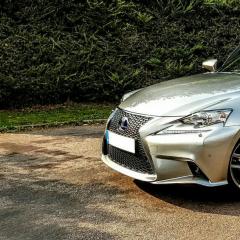
Discovering the IS300H
Featured Replies
Join The Independent Lexus Owners' Club
Our community has been built by enthusiasts, for enthusiasts, and proudly run by Lexus owners' for over 25 years. As an independent, non-official club, everything you’ll find here, advice, support, and opinions, comes directly from members with genuine Lexus ownership experience. By being a member you can gain access to active community forums, videos, news, events and more...
JOIN OUR COMMUNITY NOW!
LexusOwnersClub.co.uk (“Lexus Owners’ Club United Kingdom”) is an independent, third-party enthusiast forum created for owners and fans of Lexus vehicles. We are not affiliated with, endorsed by, or in any way officially connected to Lexus USA, Lexus Canada, Lexus UK, Toyota Motor Corporation, or any of their subsidiaries, affiliates, or authorised dealers.
All content, discussions, and materials posted on this website are generated by users of the forum and represent the opinions and experiences of individual contributors. Such content is not reviewed, approved, or endorsed by Lexus Owners Club, ACI LTD, Lexus UK, Lexus USA, Lexus Canada, Toyota Motor Corporation, or any related entity.
LexusOwnersClub.co.uk makes no warranties regarding the accuracy, reliability, or completeness of any user-submitted information.
Any reference to Lexus trademarks, logos, or brand names is used solely for identification and informational purposes. This site does not claim any ownership of Lexus intellectual property.
For official information about Lexus products, services, and corporate communications, please visit the official Lexus website relevant to your region.
Lexus Official Store
Sponsored Ad
Name: eBay
Lexus Model: Lexus Store
Lexus Year: 2024
Latest Deals
Lexus Official Store for genuine Lexus parts & accessoriesDisclaimer: As the club is an eBay Partner, The club may be compensated if you make a purchase via eBay links
Join the conversation
You can post now and register later. If you have an account, sign in now to post with your account.
Note: Your post will require moderator approval before it will be visible.